Digital HR has moved from "nice to have" to table stakes. Companies without centralized systems see the fallout in low engagement, compliance gaps, and frustrated employees who can't get simple questions answered.
This guide covers what HR portals actually do, the benefits worth caring about, the features that matter, and how to pick a solution that fits your business.
Key Takeaways
- One portal gives employees a single place for data, self-service tools, and communication
- Well-designed portals reduce administrative burden while improving compliance and trust
- Choose a portal that fits your business size, industry, and existing tech stack
- A partner like Konnect ties the portal to your people strategy—not just a software checklist
What Is an HR Portal and What Is It Used For?
An HR portal is a centralized digital platform where employees manage their own HR needs and HR teams manage people data, all in one place. It gives staff one login for pay, time off, documents, and policies—and gives HR one system of record to manage them.
According to SHRM, modern employee self-service (ESS) portals let staff update personal details, view pay slips, submit leave requests, and access policies without emailing HR every time.
Common HR portal uses include:
- Onboarding new hires—paperwork, provisioning, and document collection
- Self-service requests like PTO and benefits enrollment
- Document storage for pay stubs, policies, and contracts
- Performance tracking and evaluation records
How It Differs From HRIS or Payroll Software
An HR portal isn't a separate product from your HRIS. It's the employee-facing access layer that sits on top of it. Most HRIS platforms include ESS as a built-in feature; payroll and related tools connect to that same HR data rather than replacing it.
The portal serves two audiences at once:
- Employees get self-service access to pay, time off, documents, and policies
- HR teams get centralized data, workflows, and reporting in one place
How Do Employees Access an HR Portal?
Most companies give employees access through one of a few standard methods:
- Company-issued credentials — a username and password set up during onboarding
- Single sign-on (SSO) — one login that connects to multiple work systems
- Mobile apps — for submitting requests on the go
- Web browsers — accessible from any device with internet
Workday, for example, uses role-based access with SAML single sign-on, meaning employees log in once and reach HR tools without re-entering credentials.
First-Time Login Steps
- Locate your portal link — usually shared via welcome email, company intranet, or HR during onboarding
- Enter your employee ID or company email as your username
- Set a new password following the prompted security requirements
- Complete multi-factor authentication if your company requires it
- Update your profile with emergency contacts, direct deposit, and other basics

Common troubleshooting: If you can't log in, check for a password reset link on the login page first. Most access issues stem from expired temporary passwords, not system errors.
Most HR portals stay available 24/7 over any internet connection, which matters for remote and hybrid teams. Employees don't need to be on a company network to submit a time-off request or check a pay stub, so distributed teams can handle routine HR tasks without waiting on IT or office access.
Key Benefits of an HR Portal for Employee Engagement
Self-service reduces friction. When employees can update their own address, download a pay stub, or check PTO balance without waiting on HR, they feel more in control. That control removes the small delays that quietly drain day-to-day engagement.
Communication tools build connection. Announcements, recognition features, and pulse surveys inside a portal keep people informed and seen, even across hybrid teams. SHRM identifies these as core engagement-technology functions, separate from pure administrative tasks.
Onboarding Sets the Tone
First impressions stick. SHRM reports that only 29% of new hires felt prepared and supported to excel in their new role, a gap structured, portal-driven onboarding helps close.
A related Click Boarding study cited by SHRM found employees were 58% more likely to stay three years when they experienced structured onboarding. Portals help deliver that structure consistently from day one.
Trust, Accountability, and Security
Visible, fair performance evaluation processes build trust. When employees can see their own review history and feedback timeline instead of wondering what's in a locked file cabinet, accountability improves on both sides.
Portals also protect data through:
- Role-based access controls
- Encryption in transit and at rest
- Audit trails for compliance documentation
That protects the employer from liability and the employee from data mishandling.

Essential Features to Look for in an HR Portal Solution
Not every portal needs every feature, but certain features are non-negotiable:
- Employee self-service — PTO requests, personal data updates, time tracking
- Benefits enrollment — plan details, spending account balances, claims status
- Document management — pay stubs, policies, contracts, compliance records
- Payroll integration — avoids duplicate data entry and conflicting records
- Reporting and analytics — turnover trends, headcount reports, diversity metrics
- Mobile accessibility — task submission from any device
- Data security — SSO, MFA, and role-based permissions
Scalability matters too. A portal that works for 20 employees might buckle at 200. Ask vendors how their pricing and architecture change as headcount grows, especially if you're planning to expand into new states or industries.

How to Choose the Right HR Portal for Your Business
Your industry shapes what you need. A hospital has different compliance and shift-tracking needs than a retail chain or a restaurant group.
Start by matching features to your reality:
- Healthcare — credentialing tracking, strict compliance documentation, shift-based scheduling
- Retail — hourly workforce management, high turnover onboarding, multi-location access
- Hospitality — training and culture tools, seasonal staffing flexibility, multi-property access
Then evaluate the vendor itself. SHRM's guidance on buying HR technology recommends assessing:
- Support model — dedicated HR tech support versus generic helpdesk tiers
- Implementation scope — timeline, who does the work, and what is billed separately
- Integrations — payroll, benefits, SSO, and other systems you already run
- Retention after 12 months — a practical signal of post-sale service quality
Industry research has long flagged implementation trouble as a top source of HR software regret—Gartner has cited figures in the range of most buyers hitting deployment issues. Before you sign, press vendors on data migration, training ownership, go-live support, and who pays when timelines slip.

Portal choice is easier when it sits inside a wider people strategy. Konnect’s Center of Excellence model brings compliance, employee relations, and technology advisors into the same conversation, so you select a portal that fits how your workforce actually operates—not a standalone tool bought in isolation.
What Is an HR Solutions Company and How Can It Help?
An HR solutions company is an outsourced firm that provides strategic HR guidance and technology support. It fills the gap between your internal capacity and growing HR needs without taking over your workforce.
Unlike a pure PEO (which co-employs staff) or an HRO (a third-party administrator), an HR solutions partner works alongside your team rather than replacing it. That model helps you scale compliance, talent, and day-to-day people operations while leaders stay focused on the business.
Konnect operates this way through three tiers:
- Standard — advisory leadership, client retains execution control
- Advanced — advisory plus day-to-day HR execution
- Elite — a dedicated embedded HR team plus learning and development support
Founder Jamie Viramontes brings over 25 years of HR leadership. His background includes CHRO roles at Forever 21 and UCI Health and VP of HR at Chipotle, spanning food & beverage, healthcare, retail, and finance. That range shapes how Konnect approaches technology: recommendations matched to what each industry actually needs.
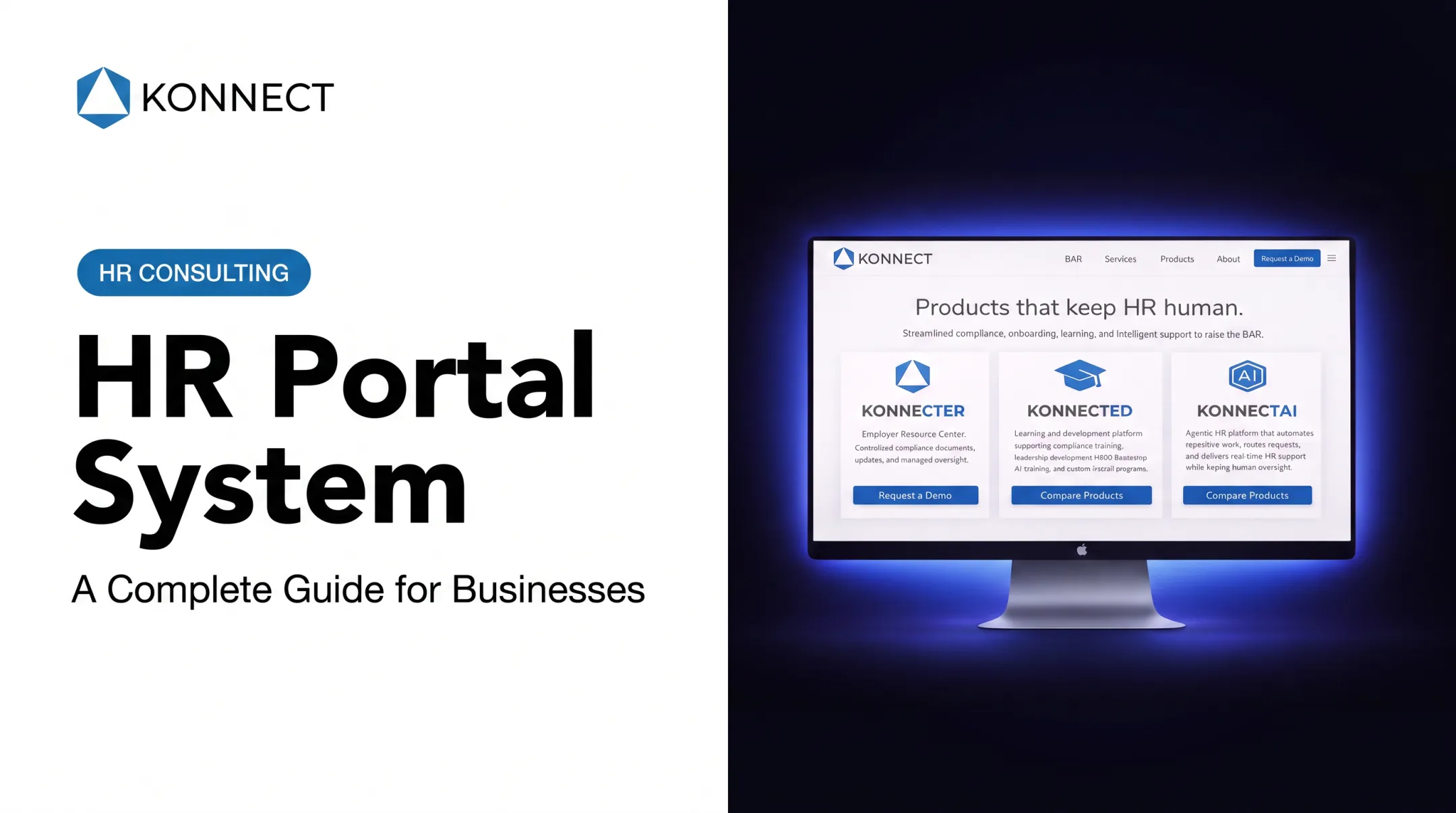
Konnect also brings its own tools, including KonnectER for centralized compliance document management and KonnectAi to automate routine HR questions and tasks. KonnectAi integrates with platforms such as Workday, ADP, Dayforce, and Paylocity.
Frequently Asked Questions
How do I access an employee portal?
Your employer typically provides login credentials or SSO access through a welcome email, intranet link, or HR onboarding materials. If you're locked out, check for a password reset option before contacting HR.
What is an HR portal used for?
An HR portal is used for self-service tasks like PTO requests and benefits enrollment, document storage for pay stubs and policies, and internal communication like announcements and recognition.
What is an HR solutions company?
An HR solutions company is an outsourced partner that supports technology selection, compliance, and broader people strategy alongside (not instead of) your internal team.
How much does an HR portal cost for a small business?
Costs vary widely by features and provider; some vendors price per employee per month, others quote custom pricing. An HR solutions partner can help identify cost-effective options that match your actual needs.
Can an HR portal integrate with existing payroll systems?
Most modern portals offer payroll integrations, but compatibility varies by vendor. Always verify integration support during the selection process, not after signing a contract.
Is employee data secure on an HR portal?
Reputable portals use encryption in transit and at rest, role-based access controls, and multi-factor authentication. Look for vendors with third-party security audits like SOC 2.